Intuit QuickBooks for Business
- 4.7
- Rating
- 5.00M
- Installs
- Free
- Price

 Analysis by App-foxy
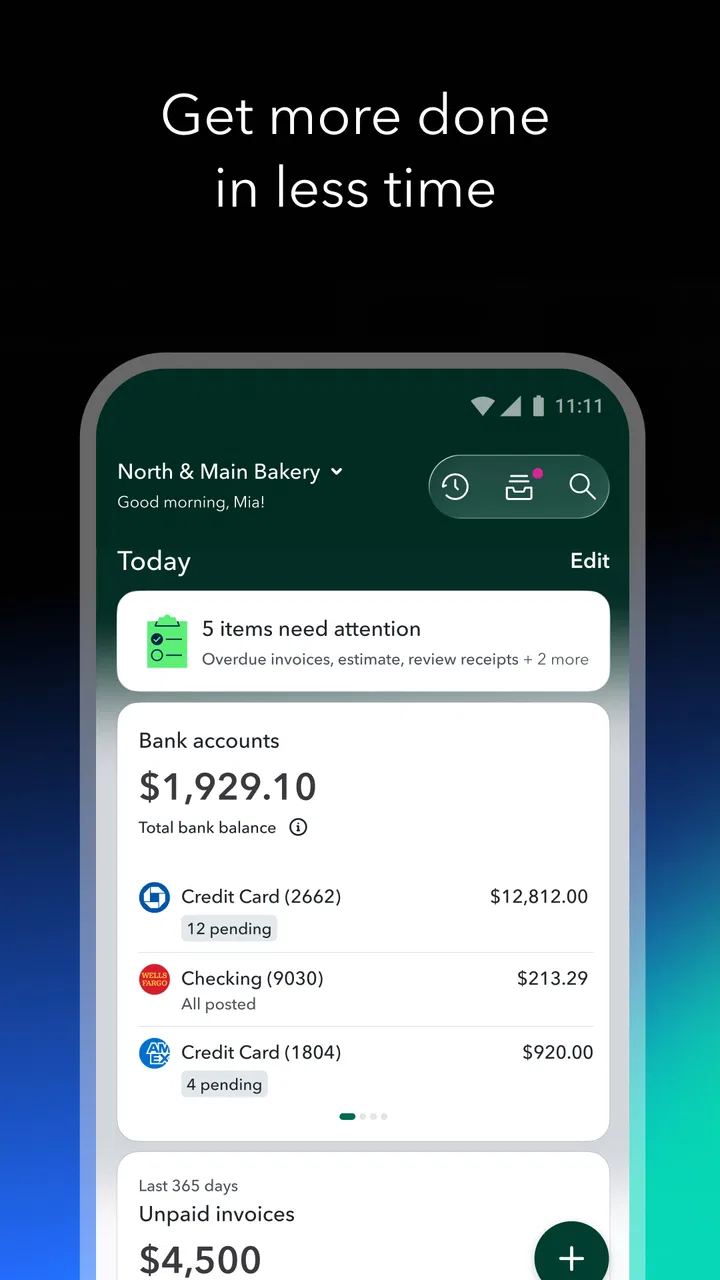
I came away from Intuit QuickBooks with a fairly clear impression: it is most useful when you treat it as a daily financial workspace rather than an occasional invoice maker. The app brings invoicing, expense organization, mileage tracking, receipt capture, and business accounting into one mobile experience, which can save a small business owner from keeping several disconnected tools open. I would recommend it to someone who wants to keep business records moving while away from a desk, but I would not describe it as a perfect replacement for every desktop accounting setup.
What makes it appealing is the way its tools connect to the rhythm of real work. A freelancer can finish a job, create an invoice, photograph a receipt, and record a business trip without waiting until the end of the week. That matters because financial admin is easiest to avoid when it feels like a separate project. In my experience, the best accounting app is often the one that lets me record something at the moment it happens.
How the mobile accounting experience works in practice
I use this section to focus on the practical choices that shape a mobile accounting routine: what I would record immediately, what deserves a later check, and how to keep the app from becoming another inbox to clear. That distinction matters most when a workday is busy and details are easy to forget. From there, I’ll look at the specific tasks where this approach is most useful.
You May Also Like

 Blood Strike: 2.5 Anniversary
Blood Strike’s Loadouts Turn Every Drop Into a Tactical Gamble
A close look at Blood Strike’s custom loadouts: how fast access to signature weapons reshapes its battle royale rhythm, rewards preparation, and narrows the gap between fights.

 Pandora - Music & Podcasts
Pandora’s Music Is Easy to Start, but Harder to Recover
Pandora’s strength is its low-effort path from a seed to a station. Its weak spot is how much confidence it asks you to place in connection, setup, and quiet recovery.

 8 Ball Pool
 Is Built on Rivalries, Rematches, and Routine
A close look at the rivalries, rematches, shared routines, and unanswered safety questions that turn a quick pool match into a persistent mobile community.

 Samsung Music
’s Quiet Strength Is Playing What You Already Own
Its reach comes less from spectacle than from dependable access to a personal library. That simplicity is both the app’s strongest retention engine and its ceiling.

 AccuWeather: Weather Radar
AccuWeather Review: A Quick, Clear Forecast for Everyday Decisions
For everyday plans, the best forecast is the one you can understand quickly. AccuWeather makes rain timing, radar, and local conditions easy to act on, with a few trade-offs.

 Hill Climb Racing
Why Hill Climb Racing Still Turns Crashes Into One More Run
A tiny car, a bumpy hill and one more upgrade: Hill Climb Racing keeps resurfacing because its simple chaos makes every near-miss feel personal.
More From Our News Desk



A practical home for everyday business tasks
QuickBooks is a business app from Intuit Inc, and its focus is clearly broader than simple payment requests. The central idea is to keep the important pieces of small-business bookkeeping close together. Instead of writing an invoice in one service, saving receipts in a camera folder, and calculating mileage somewhere else, I can use one place to maintain a more coherent picture of business activity.
The app’s AI-led approach is one of its more noticeable characteristics. I see that as helpful when it reduces repetitive sorting and points me toward the next accounting task. It is less helpful if I expect automation to understand every unusual transaction without supervision. Accounting still needs a human check, especially when an expense could reasonably belong to more than one category.
The strongest part of the experience is the reduction of friction. A receipt scanner is valuable not because taking a photograph is difficult, but because it gives a receipt a better chance of becoming part of the records instead of disappearing into a wallet or email attachment. The same principle applies to the mileage tracker. Recording a trip soon after it happens is much easier than reconstructing several weeks of travel from memory.
Invoicing is more useful when it is tied to the rest of the record
For independent workers, invoicing is usually the first reason to try an accounting app. QuickBooks makes more sense than a standalone invoice tool when invoices are only one part of the business routine. I can think about money owed, expenses connected to the work, and travel related to that work in the same general system rather than treating each item as an isolated document.
That does not mean every user needs a full accounting platform. If I only send one simple invoice every few months and have no meaningful expenses to track, a lightweight invoice generator may feel faster. QuickBooks earns its place when the business has enough activity that consistency matters: recurring client work, regular purchases, mileage, receipts, and a need to understand whether revenue is being swallowed by costs.
A useful habit is to create or update an invoice immediately after completing a billable milestone, then record related expenses while the details are still fresh. This avoids a common mistake with mobile tools: using them only for emergency catch-up. The app is at its best when it becomes part of the workday, not when it is opened once a month in a panic.
Receipt scanning is a small feature with a large practical effect
The receipt scanner is one of the features I would use most consistently. A receipt contains details that are easy to lose, including the date, merchant, and amount. Photographing it at the point of purchase creates a much better starting point for later review than relying on a paper pile.
My advice is not to assume that scanning removes the need for checking. A blurry image, an unusual tax treatment, or a purchase that mixes business and personal use can still require a decision. The real benefit is that the app helps preserve the evidence and reduces manual entry. I would scan immediately, add a short note when the purchase is unusual, and review the category before relying on the record.
That workflow is especially useful for people who work from several locations. A consultant moving between client sites, for example, can capture parking, supplies, or meals during the day instead of trying to remember them after returning home. The feature is less compelling for someone whose business has almost no expenses or whose records are already handled by a bookkeeper through another system.
Mileage tracking can prevent end-of-month guesswork
Business mileage is another area where timing makes a difference. When travel is recorded close to the journey, the purpose and destination are easier to remember. When it is reconstructed later, the result can be incomplete or overly dependent on calendar entries. QuickBooks gives mileage its own place in the accounting workflow, which is more useful than treating travel as an afterthought.
I would still set a personal routine around it. At the end of each workday, I would review the trips and separate business travel from personal driving. That quick check is important because automated or semi-automated tracking can identify movement without knowing why the journey happened. The app can help collect the information, but I remain responsible for deciding whether each trip belongs in the business records.
This is a good example of a broader trade-off. Convenience improves when the app can help gather information in the background or with minimal input, but accuracy depends on review. People who want a completely hands-off accounting system may find that disappointing. People who want fewer forgotten details will probably see it as a reasonable compromise.
Where the AI-led approach helps, and where I would stay cautious
AI can make an accounting app feel less intimidating by helping organize routine information and suggesting sensible next steps. For a new sole trader, that guidance may be more approachable than a blank spreadsheet filled with unfamiliar columns. It can also reduce the mental load of deciding how to begin after a busy week.
Still, I would not let suggestions become automatic truth. A software subscription, mixed-use phone bill, client meal, or equipment purchase may need context that a quick pattern cannot fully understand. I prefer to use the app’s assistance as a first pass, then confirm anything that affects tax records, profitability, or the separation between personal and business spending.
The most important strength is not automation by itself; it is having a reviewable trail of ordinary business activity. Captured receipts, mileage entries, invoices, and categorized transactions are more valuable when I can inspect them and correct mistakes. That is the standard I would use to judge the app: does it help me stay organized without encouraging careless approval?
The main weakness is that convenience does not remove accounting complexity
QuickBooks can make routine work easier, but it cannot make every accounting decision simple. A growing business may have several income sources, complicated expenses, contractors, inventory, or rules that require professional advice. A mobile interface is convenient for entering information, yet a phone screen is not always the best place to investigate a complicated discrepancy or understand a large set of accounts.
This is where I would be careful about expectations. The app is a strong companion for staying current, but some users may still prefer a larger-screen workflow for detailed reconciliation and financial review. If I were running a business with substantial bookkeeping complexity, I would treat the mobile app as one part of the process rather than assuming it could replace every accounting conversation or every deeper review.
There is also a learning curve hidden behind the friendly presentation. New users still need to understand the difference between income and an expense, recognize personal transactions, and review categories. The app can guide the process, but it cannot know the full business context unless I provide it. That means the first setup and the first few review sessions deserve patience.
Cost and platform details worth considering
The app itself is free to install, which makes it easy to test before committing to a routine. The wider product includes in-app purchases ranging from $0.99 to $420.00 per item, so I would check exactly which tools or plans apply to my needs before assuming that every accounting capability is included at no cost. The free entry point is attractive, but the overall expense depends on the service level a business chooses.
QuickBooks is rated for Everyone and requires an operating system version of 10 or later. Those details make it accessible for many users, although anyone using an older device should check compatibility before planning a migration. The current version is 29.46.3+3, so keeping the app updated is sensible for anyone relying on it for regular financial records.
Its long presence also gives it a certain familiarity. It was released on Jun 29, 2011, and the app has reached over 5 million installs. A 4.7 average from around 74 thousand ratings suggests that many users find the experience worthwhile, while around 13 thousand written reviews indicate a substantial amount of public feedback. I would take those figures as signs of a well-established product, not as proof that it will suit every business model.
Who will get the most from it
I think the clearest audience is the small-business owner or independent professional who handles several financial chores personally. Freelancers, tradespeople, consultants, tutors, designers, photographers, and other service providers can benefit when invoices, receipts, and mileage are all part of the same week. The app is particularly suitable for someone who works away from a permanent office and wants to record information before it gets lost.
It is also a good fit for a person who has outgrown a spreadsheet but is not ready for a highly specialized accounting workflow. A spreadsheet can be flexible, but it depends heavily on disciplined manual entry and can become difficult to audit as activity grows. QuickBooks offers a more structured environment without requiring the user to build every tracking system from scratch.
I would be more cautious if the business has highly specialized requirements, a large team with complex permissions, or financial processes that already depend on another accounting platform. In that situation, switching tools may create more work than it saves. A dedicated desktop system, a specialist service, or direct support from an accountant could be a better choice, particularly when compliance and detailed reporting matter more than mobile convenience.
A realistic day with the app
Imagine a self-employed repair professional visiting two customers. During the morning, they buy a replacement part and photograph the receipt before leaving the shop. They drive to the first appointment, record the business mileage, complete the work, and prepare an invoice before the details fade. Later, they buy another small supply, capture that receipt, and review the day’s entries from the phone.
That sequence shows where QuickBooks can earn its keep. None of the individual actions is especially complicated, but together they create a record that would otherwise be scattered across paper, memory, and separate notes. At the end of the week, the professional has less reconstruction to do and a clearer view of what each job involved.
The same scenario also shows the limitation. The user still needs to confirm that the parts belong to the correct job, distinguish personal travel from business mileage, and check that the invoice reflects the agreed work. The app supports the routine; it does not replace judgment.
How it compares with simpler alternatives
Compared with a basic invoicing app, QuickBooks is more useful when expenses, mileage, and receipts matter alongside billing. A simple invoice tool may feel cleaner for a person who only needs to send documents and track whether they were paid. QuickBooks becomes the better option when the user wants a broader financial picture and is willing to spend time maintaining it.
Compared with a spreadsheet, it offers a more purpose-built path for capturing business activity. The trade-off is that a spreadsheet can be shaped almost any way the owner wants, while QuickBooks asks the user to work within its accounting structure. I prefer the structured approach for recurring business routines, but I understand why someone with unusual reporting needs might choose the flexibility of a spreadsheet.
Compared with desktop accounting software, the mobile app is more convenient for immediate capture. I can record a receipt or mileage while the event is fresh instead of waiting until I am at a computer. Desktop tools may remain preferable for long review sessions, complex reports, or businesses with more involved bookkeeping. For many small operators, the most sensible arrangement is not an either-or decision: mobile capture during the day and deeper review when there is time to concentrate.
Small habits that make the app more reliable
I would begin by deciding on a regular review time, even if it is only a short session after work. Capturing information is only half the job; reviewing categories and unusual entries keeps small mistakes from becoming a large cleanup project. This is more effective than waiting for the end of a tax period.
I would also add context to anything that could be confusing later. A short note about the client, project, or business purpose can be far more useful than relying on the merchant name alone. This is especially important for purchases that could be personal or business-related.
Finally, I would separate “record now” from “decide later” without turning “later” into “never.” If I am rushing between appointments, I can capture the receipt and return to the category during a calmer review. That approach preserves the information while acknowledging that accurate classification sometimes needs more thought.
After using the app in that way, my verdict is positive but specific. QuickBooks is not valuable merely because it contains many accounting tools; it is valuable because it can turn scattered daily actions into a repeatable business record. Its invoicing, receipt scanning, and mileage tracking are most convincing when used together, while its AI assistance is best treated as support rather than authority.
I would recommend it to a self-employed person or small-business owner who wants to stay on top of financial admin from a phone and is prepared to review the results. I would skip it in favor of a simpler invoice tool if my needs were extremely narrow, or choose a more specialized accounting setup if my business had complex reporting and bookkeeping demands. For the audience in between, Intuit QuickBooks offers a practical balance: approachable enough for everyday use, broad enough to grow beyond isolated invoices, and honest enough to require the user to remain involved.
FAQs for Intuit QuickBooks for Business
01What platforms is Intuit QuickBooks for Business available on?
Intuit QuickBooks for Business is available on both Android and iOS platforms. You can download it from the Google Play Store for Android devices and the Apple App Store for iOS devices. Additionally, QuickBooks offers a desktop version for Windows and Mac, providing flexibility depending on your business needs.
02Is Intuit QuickBooks for Business suitable for small businesses?
Yes, Intuit QuickBooks for Business is an excellent choice for small businesses. It offers features like invoicing, expense tracking, and financial reporting, all tailored to meet the needs of small to medium enterprises. The app is designed to be user-friendly, making it accessible even for those new to accounting software.
03What are the main features of Intuit QuickBooks for Business?
Intuit QuickBooks for Business provides a comprehensive suite of features including invoicing, expense tracking, payroll management, and inventory tracking. It also offers real-time financial reporting and integrates with a variety of third-party apps to enhance functionality, making it a versatile tool for managing business finances effectively.
04Does Intuit QuickBooks for Business offer customer support?
Yes, Intuit QuickBooks for Business offers robust customer support through various channels. Users can access support via phone, live chat, and email. Additionally, the QuickBooks website provides a wealth of resources including video tutorials, community forums, and a comprehensive FAQ section to assist users in resolving issues quickly.
05Are there any subscription fees for Intuit QuickBooks for Business?
Intuit QuickBooks for Business operates on a subscription-based model. There are different pricing tiers available, each offering a range of features. Users can choose a plan that best suits their business size and needs. Pricing details and subscription options can be found on the QuickBooks website or within the app itself.
Pros
- User-friendly interface for all skill levels.
- Seamless integration with banking systems.
- Comprehensive reporting tools available.
- Real-time collaboration with team members.
- Cloud-based access from any device.
Cons
- Subscription can be expensive for small businesses.
- Limited customization of invoices and forms.
- Occasional sync issues with bank accounts.
- Mobile app lacks some desktop features.
- Learning curve for advanced features.

Intuit QuickBooks for Business
Gallery